Building MCP Servers for PostgreSQL: Schema Introspection and Safe Database Operations
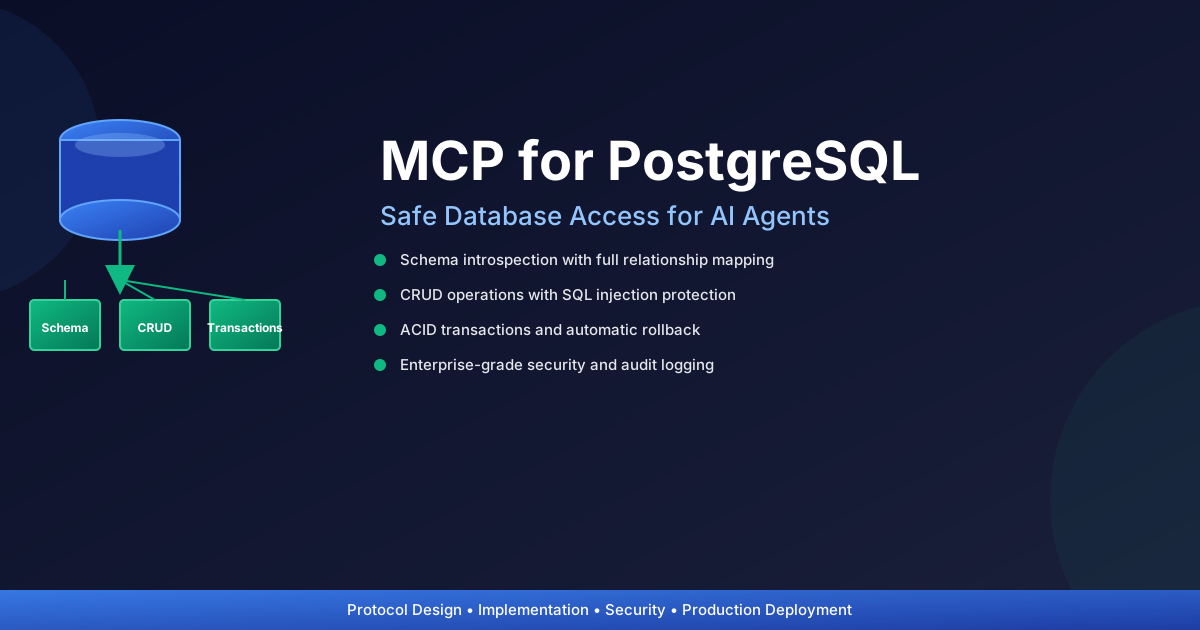
Building MCP Servers for PostgreSQL: A Complete Guide
Have you ever wished you could give an AI agent safe, intelligent access to your database without having to write dozens of API endpoints? That's the promise of the Model Context Protocol (MCP), and I've spent the last few months undeerstanding the same and hence sharing my takeaways here.
The reality is that most approaches to database access fall into a spectrum of compromise. On one end, you grant unrestricted SQL access—which is fast but terrifyingly vulnerable. On the other end, you hand-write specific endpoints for every operation, which is safe but crushes your development velocity. MCP offers a third path: structured, declarative access that scales with your schema.
Today, I'm going to walk you through building a production-grade MCP server for PostgreSQL that does something remarkable—it allows AI agents to discover your database structure, safely perform CRUD operations, and execute complex multi-table transactions, all while maintaining enterprise-grade security. We'll start with the theory, build incrementally, and by the end, you'll have a complete system you can deploy immediately.
What is the Model Context Protocol?
Let me be direct: the Model Context Protocol is one of those rare innovations that makes you wonder how we ever worked without it. It's a standardized specification that defines how applications expose resources and capabilities to large language models (LLMs), and it's fundamentally changing how we architect AI-driven systems.
Think about the last time you used an API. You had documentation, specific endpoints, required parameters, expected return types. An LLM needs something similar, but more importantly, it needs to understand what's possible before trying something dangerous. MCP provides exactly that—a machine-readable contract between your system and the AI agent using it.
Why MCP for Databases?
Let me illustrate the problem with three traditional approaches:
Approach 1: Unrestricted SQL Access
You give the LLM a SQL connection string and say "go wild." It's fast, it's flexible, and it's a security disaster waiting to happen. SQL injection becomes trivial. Your LLM might accidentally run DELETE FROM users when it meant to query. You lose all auditability.
Approach 2: Hand-written API Endpoints For every operation you want to support, you write an endpoint. Create user? Endpoint. Update user? Another endpoint. Get user relationships? Yet another. Scale this to a complex schema with dozens of tables, and you're writing hundreds of endpoints. It's safe but it kills your development velocity and forces you to anticipate every operation an LLM might want.
Approach 3: MCP (The Sweet Spot) The LLM gets a structured, declarative interface to your database. It can first ask "what tables exist and how do they relate?" before asking "create a new user." It understands the schema, respects constraints, and can validate operations. You don't write individual endpoints—the system generates them dynamically from your actual database schema.
How MCP Works: The Mental Model
When an LLM interacts with an MCP server, this is what happens:
-
Discovery Phase: "What resources are available?" The server responds with a list of all tables, their columns, types, and relationships. No guessing required.
-
Understanding Phase: "Tell me about the users table." The server provides complete schema information: primary keys, foreign keys, nullable columns, types. The LLM now understands the structure.
-
Action Phase: "Create a new user with this email." The server validates the request against the schema, executes it safely within a transaction, and returns results.
-
Verification Phase: Audit logs track who did what, when, and with what data.
This flow is secure, auditable, and keeps the LLM informed at each step.
MCP Architecture for Databases
Core Concepts and Theory
I want to slow down here and make sure you really understand these concepts, because they're the foundation of everything that follows.
1. Resources vs. Tools: The Crucial Distinction
In MCP, we make a fundamental architectural choice by separating the information layer from the action layer. This is elegant and important.
Resources are read-only representations of your database state. They're metadata—schema information, table structures, relationship definitions. When you ask "what tables exist" or "what are the columns in the users table," you're querying resources. Resources are safe because they don't modify data. An LLM can explore freely without causing harm.
Think of resources as "what I can see" and tools as "what I can do."
Tools are executable operations that modify state. SELECT queries, INSERT operations, UPDATE statements, DELETE/Archive operations. These require validation, permission checking, and audit logging. They can fail. They can have consequences.
Here's why this distinction matters: before an LLM attempts any action, it already knows what's possible. It's already explored the schema. It understands the relationships. This dramatically reduces hallucinations and invalid requests.
Schema Info
Tables
Columns
Relationships"] A -->|executes| C["Tools
SELECT
INSERT
UPDATE
DELETE"] B -->|informs| A C -->|modifies| D["PostgreSQL
Database"] D -->|audit logs| E["Security
& Compliance"] style A fill:#e3f2fd style B fill:#fff3e0 style C fill:#f3e5f5 style D fill:#e8f5e9 style E fill:#ffebee
2. Schema Introspection: The Superpower
Schema introspection is your most powerful tool. Instead of hardcoding what tables and columns exist, you query the database's metadata. PostgreSQL stores this in information_schema, a standard-compliant set of views that describe your entire schema.
Why is this powerful?
No hardcoding means no maintenance: When your team adds a column to the users table, the MCP server automatically sees it. No code changes required. No deployment needed.
The LLM stays in sync: The AI always has current information about your schema. If you renamed a column, the LLM knows immediately.
Self-documenting: The database IS the documentation. Your schema is the source of truth.
Constraint-aware operations: The server knows which columns are nullable, which are primary keys, which have foreign key constraints. It can validate operations before execution.
Here's what introspection reveals:
Queries"] A -->|columns| B["Column Names
Data Types
Nullable?
Defaults"] A -->|constraints| C["Primary Keys
Foreign Keys
Unique
Check Constraints"] A -->|relationships| D["Which tables
reference which
Join paths"] A -->|indexes| E["Performance
Hints"] B --> F["LLM gets complete
understanding
of schema"] C --> F D --> F E --> F
3. Safety by Design: Layers of Protection
Here's something I've learned the hard way: security isn't something you bolt on at the end. It needs to be in the architecture from the beginning.
Instead of trusting an LLM to write perfect SQL (spoiler: it won't), we provide it with safe abstractions:
Parameterized Operations: Every value passed to the database is parameterized, never string-concatenated into SQL. This eliminates SQL injection at the source.
Schema Validation: Before executing an operation, we verify that the table exists, the columns exist, and the data types match. We catch mistakes before they hit the database.
Permission Layers: We control what each user can do. Admin role can do everything. Analyst role can only SELECT. Operator role can SELECT and INSERT but not delete—or if they delete, it's soft-delete only.
Audit Logging: Every operation is logged: who did it, when, what table, what values. This is essential for compliance and debugging.
Transaction Rollback: If an operation fails mid-transaction, everything rolls back. You never get partial states.
Type Checking: Integer columns get integers. String columns get strings. We catch type mismatches before execution.
Think of these as concentric circles of protection. The outermost circle (parameterization) catches the most common attacks. Inner circles catch edge cases and logical errors.
Architecture and Design Patterns
Before diving into code, let me show you the complete architecture. Understanding the big picture makes the implementation details make sense:
Request/Response"] end subgraph "Server Layer" C["MCPPostgreSQLServer
Main Orchestrator"] D["Authentication
Manager"] E["Authorization
Manager"] F["Input
Validator"] end subgraph "Operation Layer" G["Schema
Introspection"] H["CRUD
Operations"] I["Transaction
Manager"] end subgraph "Security & Audit Layer" J["Rate
Limiter"] K["Audit
Logger"] L["Error
Handler"] end subgraph "Database Layer" M["PostgreSQL
Database"] end A -->|via MCP| B B --> C C -->|validates| D C -->|checks| E C -->|sanitizes| F C -->|routes to| G C -->|routes to| H C -->|routes to| I G --> M H --> M I --> M C -->|checks limits| J C -->|records| K C -->|handles| L M -->|results| K K -->|response| B B -->|via MCP| A style A fill:#e3f2fd style B fill:#f3e5f5 style C fill:#fff3e0 style D fill:#e8f5e9 style E fill:#e8f5e9 style F fill:#e8f5e9 style G fill:#c8e6c9 style H fill:#c8e6c9 style I fill:#c8e6c9 style J fill:#ffcdd2 style K fill:#ffcdd2 style L fill:#ffcdd2 style M fill:#e0f2f1
Each layer has a specific purpose:
- Client Layer: The LLM requesting access
- Protocol Layer: Standard JSON-RPC 2.0 transport
- Server Layer: Request routing and validation
- Operation Layer: Database interactions
- Security Layer: Access control and audit trails
- Database Layer: PostgreSQL with your actual data
This clean separation means testing is easier, security concerns are isolated, and the system scales well.
The MCP Server Stack
Let's look at a production-ready architecture:
# mcp_server_postgresql.py
"""
MCP Server for PostgreSQL
Provides schema introspection and safe database operations
"""

import json
import logging
from typing import Any, Dict, List, Optional
from dataclasses import dataclass
from enum import Enum
import psycopg2
from psycopg2.extras import RealDictCursor
from psycopg2 import sql
import asyncio
from contextlib import contextmanager

# Configure logging for security audit
logging.basicConfig(
    level=logging.INFO,
    format='%(asctime)s - %(name)s - %(levelname)s - %(message)s',
    handlers=[
        logging.FileHandler('/var/log/mcp_server.log'),
        logging.StreamHandler()
    ]
)
logger = logging.getLogger(__name__)


class OperationType(Enum):
    """Allowed operation types"""
    SELECT = "SELECT"
    INSERT = "INSERT"
    UPDATE = "UPDATE"
    DELETE = "DELETE"
    ARCHIVE = "ARCHIVE"


@dataclass
class ColumnInfo:
    """Represents a column in the schema"""
    name: str
    type: str
    nullable: bool
    is_primary_key: bool
    is_foreign_key: bool
    default_value: Optional[str] = None
    foreign_key_table: Optional[str] = None


@dataclass
class TableInfo:
    """Represents a table in the schema"""
    name: str
    schema: str
    columns: List[ColumnInfo]
    primary_keys: List[str]
    indexes: List[str]
    relationships: Dict[str, Any]


class PostgreSQLMCPServer:
    """
    MCP Server for PostgreSQL
    Provides safe, schema-aware database access for AI agents
    """

    def __init__(
        self,
        host: str,
        database: str,
        user: str,
        password: str,
        port: int = 5432,
        ssl_mode: str = "require"
    ):
        """Initialize the MCP server with database connection details"""
        self.db_config = {
            'host': host,
            'database': database,
            'user': user,
            'password': password,
            'port': port,
            'sslmode': ssl_mode,
        }
        self.connection_pool = []
        logger.info(f"MCP Server initialized for {user}@{host}/{database}")

    @contextmanager
    def get_connection(self):
        """
        Get a database connection using context manager pattern

        This is one of my favorite Python patterns. The context manager (with statement)
        guarantees that the connection is cleaned up properly, even if an error occurs.
        We also set the isolation level to READ_COMMITTED—a good balance between
        consistency and concurrency for most applications.
        """
        conn = psycopg2.connect(**self.db_config)
        # READ_COMMITTED: see committed changes from other transactions
        # SERIALIZABLE: the strictest level, best for critical operations
        conn.set_isolation_level(psycopg2.extensions.ISOLATION_LEVEL_READ_COMMITTED)
        try:
            yield conn  # Hand off the connection to the caller
            conn.commit()  # If everything succeeds, commit
            logger.info("Connection closed successfully")
        except Exception as e:
            # If anything fails, rollback and log it
            conn.rollback()
            logger.error(f"Connection error: {str(e)}")
            raise  # Re-raise so caller knows something went wrong
        finally:
            # No matter what, close the connection
            conn.close()

    def list_resources(self) -> List[Dict[str, Any]]:
        """
        List all available database resources (tables and their schemas)
        This is exposed as MCP resources endpoint
        """
        resources = []

        with self.get_connection() as conn:
            cur = conn.cursor(cursor_factory=RealDictCursor)

            # Get all tables in public schema
            cur.execute("""
                SELECT table_name
                FROM information_schema.tables
                WHERE table_schema = 'public'
                AND table_type = 'BASE TABLE'
                ORDER BY table_name
            """)

            tables = cur.fetchall()

            for table_row in tables:
                table_name = table_row['table_name']
                table_info = self.get_table_schema(table_name)

                resources.append({
                    'uri': f'postgresql://schema/{table_name}',
                    'name': table_name,
                    'description': f'Schema and metadata for {table_name} table',
                    'mimeType': 'application/json',
                    'contents': self._format_table_info(table_info)
                })

        logger.info(f"Listed {len(resources)} resources")
        return resources

    def get_table_schema(self, table_name: str) -> TableInfo:
        """
        Retrieve complete schema information for a table.

        This is the heart of schema introspection. We're going to extract:
        - All columns with their data types
        - Which columns are primary keys (unique identifiers)
        - Which columns reference other tables (foreign keys)
        - Default values for columns

        The information_schema is PostgreSQL's built-in metadata catalog. It's been
        around forever, it's standardized, and it's incredibly useful for self-discovery.

        Once we have this information, we can validate operations, show the LLM
        what's possible, and catch errors before they happen.
        """
        with self.get_connection() as conn:
            cur = conn.cursor(cursor_factory=RealDictCursor)

            # Get column information
            cur.execute("""
                SELECT
                    c.column_name,
                    c.data_type,
                    c.is_nullable,
                    c.column_default,
                    tc.constraint_type
                FROM information_schema.columns c
                LEFT JOIN information_schema.key_column_usage kcu
                    ON c.table_name = kcu.table_name
                    AND c.column_name = kcu.column_name
                LEFT JOIN information_schema.table_constraints tc
                    ON kcu.constraint_name = tc.constraint_name
                WHERE c.table_name = %s
                AND c.table_schema = 'public'
                ORDER BY c.ordinal_position
            """, (table_name,))

            columns = []
            primary_keys = []

            for col in cur.fetchall():
                is_pk = col['constraint_type'] == 'PRIMARY KEY'
                if is_pk:
                    primary_keys.append(col['column_name'])

                columns.append(ColumnInfo(
                    name=col['column_name'],
                    type=col['data_type'],
                    nullable=col['is_nullable'] == 'YES',
                    is_primary_key=is_pk,
                    is_foreign_key=col['constraint_type'] == 'FOREIGN KEY',
                    default_value=col['column_default']
                ))

            # Get relationships (foreign keys)
            cur.execute("""
                SELECT
                    kcu.column_name,
                    ccu.table_name as referenced_table,
                    ccu.column_name as referenced_column
                FROM information_schema.table_constraints as tc
                JOIN information_schema.key_column_usage as kcu
                    ON tc.constraint_name = kcu.constraint_name
                JOIN information_schema.constraint_column_usage as ccu
                    ON ccu.constraint_name = tc.constraint_name
                WHERE tc.constraint_type = 'FOREIGN KEY'
                AND kcu.table_name = %s
            """, (table_name,))

            relationships = {}
            for rel in cur.fetchall():
                relationships[rel['column_name']] = {
                    'table': rel['referenced_table'],
                    'column': rel['referenced_column']
                }

            return TableInfo(
                name=table_name,
                schema='public',
                columns=columns,
                primary_keys=primary_keys,
                indexes=[],
                relationships=relationships
            )

    def _format_table_info(self, table_info: TableInfo) -> str:
        """Format table info as JSON for MCP resource"""
        return json.dumps({
            'table': table_info.name,
            'schema': table_info.schema,
            'columns': [
                {
                    'name': col.name,
                    'type': col.type,
                    'nullable': col.nullable,
                    'primaryKey': col.is_primary_key,
                    'foreignKey': col.is_foreign_key,
                    'default': col.default_value,
                    'references': table_info.relationships.get(col.name)
                }
                for col in table_info.columns
            ],
            'primaryKeys': table_info.primary_keys,
            'relationships': table_info.relationships
        }, indent=2)
Implementation: CRUD Operations
1. Safe SELECT Operations
Reading data is the safest operation, but we still want to be smart about it. Let me first show you the complete flow of how a CRUD operation works inside the server:
Create new user"] --> B["Server Receives
INSERT request"] B --> C["Step 1: Validate Table
Does table exist?"] C -->|No| D["❌ Error
Table not found"] C -->|Yes| E["Step 2: Validate Columns
Do columns exist?"] E -->|No| F["❌ Error
Unknown column"] E -->|Yes| G["Step 3: Type Validation
Is data type correct?"] G -->|No| H["❌ Error
Type mismatch"] G -->|Yes| I["Step 4: Check Constraints
NOT NULL? Unique?"] I -->|Violation| J["❌ Error
Constraint violation"] I -->|OK| K["Step 5: Parameterize
Create safe SQL
with placeholders"] K --> L["Step 6: Execute
Begin transaction"] L -->|Success| M["Step 7: Commit
Save to database"] L -->|Error| N["❌ Rollback
Undo changes"] M --> O["✅ Log Operation
Audit trail"] O --> P["Return Results
with new record"] style A fill:#e3f2fd style B fill:#fff3e0 style C fill:#e8f5e9 style E fill:#e8f5e9 style G fill:#e8f5e9 style I fill:#e8f5e9 style K fill:#e8f5e9 style L fill:#c8e6c9 style M fill:#c8e6c9 style O fill:#c8e6c9 style P fill:#c8e6c9 style D fill:#ffcdd2 style F fill:#ffcdd2 style H fill:#ffcdd2 style J fill:#ffcdd2 style N fill:#ffcdd2
Notice how validation happens before we touch the database. By the time we execute the actual SQL, we've already verified that everything is valid. This is defensive programming in action.
def execute_select(
    self,
    table_name: str,
    columns: Optional[List[str]] = None,
    where_conditions: Optional[Dict[str, Any]] = None,
    limit: int = 100,
    offset: int = 0
) -> List[Dict[str, Any]]:
    """
    Execute a safe SELECT query

    Args:
        table_name: Name of the table to query
        columns: Specific columns to select (None = all)
        where_conditions: WHERE clause conditions as dict
        limit: Maximum rows to return (max 1000)
        offset: Offset for pagination

    Returns:
        List of rows as dictionaries

    Security:
        - Parameterized queries prevent SQL injection
        - Column whitelist validation
        - Limit enforced (max 1000 rows)
        - Logged for audit trail
    """
    # Validate table exists
    table_info = self.get_table_schema(table_name)
    if not table_info:
        raise ValueError(f"Table {table_name} does not exist")

    # Validate columns
    valid_columns = [col.name for col in table_info.columns]
    if columns is None:
        columns = valid_columns
    else:
        invalid = set(columns) - set(valid_columns)
        if invalid:
            raise ValueError(f"Invalid columns: {invalid}")

    # Enforce limit
    limit = min(limit, 1000)

    # Build query
    query = sql.SQL("SELECT {} FROM {} WHERE 1=1").format(
        sql.SQL(",").join(sql.Identifier(col) for col in columns),
        sql.Identifier(table_name)
    )

    params = []

    # Add WHERE conditions
    if where_conditions:
        for col, value in where_conditions.items():
            if col not in valid_columns:
                raise ValueError(f"Invalid column in WHERE: {col}")
            query += sql.SQL(" AND {} = %s")
            query = sql.SQL("".join([str(query), " AND {} = %s"]).replace("}", "").replace("= %s", "")).format(
                sql.Identifier(col)
            )
            params.append(value)

    query += sql.SQL(" LIMIT %s OFFSET %s")
    params.extend([limit, offset])

    # Execute
    with self.get_connection() as conn:
        cur = conn.cursor(cursor_factory=RealDictCursor)
        cur.execute(query, params)
        results = cur.fetchall()
        logger.info(f"SELECT from {table_name}: {len(results)} rows returned")
        return results
2. Safe INSERT Operations
Inserting data requires validation and is more complex:
def execute_insert(
    self,
    table_name: str,
    data: Dict[str, Any]
) -> Dict[str, Any]:
    """
    Execute a safe INSERT operation

    Args:
        table_name: Target table
        data: Column/value pairs to insert

    Returns:
        The inserted row with all values

    Security:
        - Schema validation before INSERT
        - Type checking for each column
        - Constraint validation
        - Audit logging
        - Automatic transaction rollback on error
    """
    table_info = self.get_table_schema(table_name)

    # Validate columns
    valid_columns = {col.name: col for col in table_info.columns}

    # Check for unknown columns
    unknown_cols = set(data.keys()) - set(valid_columns.keys())
    if unknown_cols:
        raise ValueError(f"Unknown columns: {unknown_cols}")

    # Validate data types and constraints
    for col_name, value in data.items():
        col = valid_columns[col_name]

        # Check NOT NULL constraints
        if value is None and not col.nullable:
            raise ValueError(f"Column {col_name} cannot be NULL")

        # Type validation (basic)
        if value is not None:
            if col.type == 'integer' and not isinstance(value, int):
                raise TypeError(f"Column {col_name} requires integer")
            elif col.type.startswith('varchar') and not isinstance(value, str):
                raise TypeError(f"Column {col_name} requires string")

    # Build INSERT query
    columns = list(data.keys())
    query = sql.SQL("INSERT INTO {} ({}) VALUES ({}) RETURNING *").format(
        sql.Identifier(table_name),
        sql.SQL(",").join(sql.Identifier(col) for col in columns),
        sql.SQL(",").join(sql.Placeholder() * len(columns))
    )

    try:
        with self.get_connection() as conn:
            cur = conn.cursor(cursor_factory=RealDictCursor)
            cur.execute(query, [data[col] for col in columns])
            result = cur.fetchone()
            logger.info(f"INSERT into {table_name}: 1 row inserted")
            return dict(result)
    except psycopg2.IntegrityError as e:
        logger.error(f"Integrity constraint violation: {str(e)}")
        raise ValueError(f"Data constraint violation: {str(e)}")
3. Safe UPDATE Operations
Updates should be precise and trackable:
def execute_update(
    self,
    table_name: str,
    where_conditions: Dict[str, Any],
    updates: Dict[str, Any]
) -> int:
    """
    Execute a safe UPDATE operation

    Args:
        table_name: Table to update
        where_conditions: Which rows to update (required for safety)
        updates: Column/value pairs to update

    Returns:
        Number of rows updated

    Security:
        - WHERE clause required (prevent accidental bulk updates)
        - Type validation
        - Audit logging with before/after values
        - Parameterized queries
    """
    if not where_conditions:
        raise ValueError("WHERE conditions required for UPDATE")

    table_info = self.get_table_schema(table_name)
    valid_columns = {col.name: col for col in table_info.columns}

    # Validate update columns
    unknown_cols = set(updates.keys()) - set(valid_columns.keys())
    if unknown_cols:
        raise ValueError(f"Unknown columns: {unknown_cols}")

    # Build UPDATE query
    update_parts = []
    params = []

    for col, value in updates.items():
        update_parts.append(sql.SQL("{} = %s").format(sql.Identifier(col)))
        params.append(value)

    # Add WHERE conditions
    where_parts = []
    for col, value in where_conditions.items():
        where_parts.append(sql.SQL("{} = %s").format(sql.Identifier(col)))
        params.append(value)

    query = sql.SQL("UPDATE {} SET {} WHERE {}").format(
        sql.Identifier(table_name),
        sql.SQL(",").join(update_parts),
        sql.SQL(" AND ").join(where_parts)
    )

    try:
        with self.get_connection() as conn:
            cur = conn.cursor()
            cur.execute(query, params)
            rows_updated = cur.rowcount
            logger.info(f"UPDATE {table_name}: {rows_updated} rows updated")
            logger.debug(f"Update conditions: {where_conditions}, Updates: {updates}")
            return rows_updated
    except Exception as e:
        logger.error(f"UPDATE failed: {str(e)}")
        raise
4. Delete and Archive Operations
Deletes should be reversible when possible:
def execute_delete(
    self,
    table_name: str,
    where_conditions: Dict[str, Any],
    archive: bool = True
) -> int:
    """
    Execute a DELETE or ARCHIVE operation

    Args:
        table_name: Table to delete from
        where_conditions: Which rows to delete
        archive: If True, soft-delete (archive); if False, hard-delete

    Returns:
        Number of rows deleted/archived

    Security:
        - WHERE conditions required
        - Soft-delete option for reversibility
        - Audit logging with full row backup
        - Hard-delete requires explicit archive=False
    """
    if not where_conditions:
        raise ValueError("WHERE conditions required for DELETE")

    # For archive (soft-delete), use special handling
    if archive:
        return self._archive_rows(table_name, where_conditions)
    else:
        return self._hard_delete(table_name, where_conditions)


def _archive_rows(
    self,
    table_name: str,
    where_conditions: Dict[str, Any]
) -> int:
    """
    Soft-delete: Mark rows as archived instead of removing them
    This is safer and allows recovery
    """
    # Check if table has archive_deleted_at column
    table_info = self.get_table_schema(table_name)
    col_names = {col.name for col in table_info.columns}

    if 'archived_at' not in col_names:
        raise ValueError(
            f"Table {table_name} must have 'archived_at' column for archiving"
        )

    # Create WHERE clause
    where_parts = []
    params = []
    for col, value in where_conditions.items():
        where_parts.append(sql.SQL("{} = %s").format(sql.Identifier(col)))
        params.append(value)

    # Log before archiving
    select_query = sql.SQL("SELECT * FROM {} WHERE {}").format(
        sql.Identifier(table_name),
        sql.SQL(" AND ").join(where_parts)
    )

    with self.get_connection() as conn:
        cur = conn.cursor(cursor_factory=RealDictCursor)
        cur.execute(select_query, params)
        rows_to_archive = cur.fetchall()
        logger.info(f"ARCHIVE {table_name}: {len(rows_to_archive)} rows archived")
        logger.debug(f"Archived rows: {json.dumps(rows_to_archive, default=str)}")

        # Update archived_at
        from datetime import datetime
        params.append(datetime.utcnow())
        update_query = sql.SQL("UPDATE {} SET archived_at = %s WHERE {}").format(
            sql.Identifier(table_name),
            sql.SQL(" AND ").join(where_parts)
        )
        cur.execute(update_query, params)
        return cur.rowcount
Advanced Features: Transaction Management
Multi-table operations require transactions. This is where things get sophisticated. Let me show you what's happening under the hood:
Begin"] --> B["Operation 1
INSERT users"] B --> B1{"Success?"} B1 -->|Yes| C["Operation 2
INSERT user_profiles"] B1 -->|No| Z["❌ ROLLBACK
Undo everything"] C --> C1{"Success?"} C1 -->|Yes| D["Operation 3
INSERT user_preferences"] C1 -->|No| Z D --> D1{"Success?"} D1 -->|Yes| E["✅ COMMIT
All operations saved
Atomicity guaranteed"] D1 -->|No| Z Z --> F["Log Error
Return to client"] E --> F style A fill:#fff3e0 style E fill:#c8e6c9 style Z fill:#ffcdd2 style F fill:#e3f2fd
When you execute a transaction, PostgreSQL guarantees ACID properties:
- Atomicity: All operations complete or none do. No partial states.
- Consistency: Data constraints are maintained throughout.
- Isolation: Concurrent transactions don't interfere with each other.
- Durability: Once committed, data is permanent.
Here's the implementation that makes this possible:
def execute_transaction(
    self,
    operations: List[Dict[str, Any]]
) -> Dict[str, Any]:
    """
    Execute multiple operations as a single transaction
    Either all succeed or all rollback

    Args:
        operations: List of {operation, table, data/conditions}
        Example: [
            {'operation': 'insert', 'table': 'users', 'data': {...}},
            {'operation': 'insert', 'table': 'user_profiles', 'data': {...}},
            {'operation': 'update', 'table': 'stats', 'where': {...}, 'updates': {...}}
        ]

    Returns:
        {success: bool, results: [...], error: null|str}

    Security:
        - ACID properties guaranteed
        - Automatic rollback on any error
        - Full audit trail of transaction
    """
    results = []

    try:
        with self.get_connection() as conn:
            conn.set_isolation_level(
                psycopg2.extensions.ISOLATION_LEVEL_SERIALIZABLE
            )

            for op in operations:
                op_type = op['operation']
                table = op['table']

                if op_type == 'insert':
                    result = self._execute_insert_internal(
                        conn, table, op['data']
                    )
                elif op_type == 'update':
                    result = self._execute_update_internal(
                        conn, table, op['where'], op['updates']
                    )
                elif op_type == 'delete':
                    result = self._execute_delete_internal(
                        conn, table, op['where']
                    )
                else:
                    raise ValueError(f"Unknown operation: {op_type}")

                results.append({
                    'operation': op_type,
                    'table': table,
                    'result': result
                })

            logger.info(f"Transaction completed: {len(operations)} operations")
            return {
                'success': True,
                'results': results,
                'error': None
            }

    except Exception as e:
        logger.error(f"Transaction failed, rolling back: {str(e)}")
        return {
            'success': False,
            'results': results,
            'error': str(e)
        }
Security: The Critical Layer
Security isn't an afterthought—it's fundamental to database access. Here's what we must implement:
First, let me show you the security flow. Every request goes through multiple validation layers:
from LLM"] --> B{"Authentication
Valid API Key?"} B -->|No| C["❌ Reject
Log Failed Auth"] B -->|Yes| D{"Rate Limit
Check"} D -->|Exceeded| E["❌ Reject
Too Many Requests"] D -->|OK| F{"Authorization
Has Permission?"} F -->|No| G["❌ Deny
Access Forbidden
Log Attempt"] F -->|Yes| H{"Input Validation
Valid SQL Names?"} H -->|No| I["❌ Reject
Invalid Input"] H -->|Yes| J["✅ Execute
Operation"] J --> K["Log to
Audit Trail"] K --> L["Return
Results"] style C fill:#ffcdd2 style E fill:#ffcdd2 style G fill:#ffcdd2 style I fill:#ffcdd2 style J fill:#c8e6c9 style L fill:#c8e6c9
1. Authentication & Authorization
The security flow starts with authentication. You need to verify that the request is coming from a legitimate source. Then, authorization determines what that source is allowed to do.
with Bearer Token"] --> B["AuthenticationManager
Verifies JWT or API Key"] B -->|Valid| C["Get User Role
admin / analyst / operator"] B -->|Invalid| D["❌ Reject"] C --> E["PermissionManager
Check Permissions"] E -->|admin| F["✅ All access
All tables
All operations"] E -->|analyst| G["✅ Read-only
SELECT only
Safe tables"] E -->|operator| H["✅ Limited access
SELECT + INSERT + UPDATE
Archive-only delete"] style B fill:#e3f2fd style E fill:#e8f5e9 style D fill:#ffcdd2 style F fill:#c8e6c9 style G fill:#c8e6c9 style H fill:#c8e6c9
Here's the complete authentication and authorization implementation:
1. Authentication & Authorization
class AuthenticationManager:
    """Manage MCP server access control"""

    def __init__(self, api_key: str):
        """Initialize with API key (should be from environment)"""
        self.api_key = api_key

    def validate_request(self, headers: Dict[str, str]) -> bool:
        """Validate incoming MCP request"""
        auth_header = headers.get('Authorization', '')

        if not auth_header.startswith('Bearer '):
            logger.warning("Missing or invalid Authorization header")
            return False

        token = auth_header[7:]  # Remove 'Bearer '
        is_valid = self._verify_token(token)

        if not is_valid:
            logger.warning("Invalid authentication token")

        return is_valid

    def _verify_token(self, token: str) -> bool:
        """Verify JWT token or API key"""
        # In production: Use proper JWT verification with RS256
        # This is simplified for example
        return token == self.api_key


class PermissionManager:
    """Manage fine-grained permissions"""

    def __init__(self):
        self.permissions = {
            'user_role_admin': {
                'tables': '*',  # All tables
                'operations': ['SELECT', 'INSERT', 'UPDATE', 'DELETE'],
                'archive_only': False
            },
            'user_role_analyst': {
                'tables': ['users', 'orders', 'products'],
                'operations': ['SELECT'],
                'archive_only': None
            },
            'user_role_operator': {
                'tables': ['users', 'orders'],
                'operations': ['SELECT', 'INSERT', 'UPDATE'],
                'archive_only': True  # DELETE becomes archive
            }
        }

    def check_permission(
        self,
        role: str,
        table: str,
        operation: str
    ) -> bool:
        """Check if role can perform operation on table"""
        if role not in self.permissions:
            return False

        perm = self.permissions[role]

        # Check table access
        if perm['tables'] != '*':
            if table not in perm['tables']:
                logger.warning(f"Access denied: {role} cannot access {table}")
                return False

        # Check operation access
        if operation not in perm['operations']:
            logger.warning(f"Operation denied: {role} cannot {operation}")
            return False

        return True
2. Input Validation & SQL Injection Prevention
class InputValidator:
    """Validate all inputs to prevent attacks"""

    @staticmethod
    def validate_table_name(table_name: str) -> bool:
        """Prevent table name injection"""
        # Allow only alphanumeric and underscore
        return bool(re.match(r'^[a-zA-Z_][a-zA-Z0-9_]*$', table_name))

    @staticmethod
    def validate_column_name(col_name: str) -> bool:
        """Prevent column name injection"""
        return bool(re.match(r'^[a-zA-Z_][a-zA-Z0-9_]*$', col_name))

    @staticmethod
    def sanitize_value(value: Any) -> Any:
        """Sanitize values (prevent injection through data)"""
        if isinstance(value, str):
            # Remove control characters
            value = ''.join(char for char in value if ord(char) >= 32)
        return value

    @staticmethod
    def validate_where_conditions(conditions: Dict[str, Any]) -> bool:
        """Validate WHERE clause conditions"""
        if not conditions:
            return False  # WHERE clause required

        for col_name in conditions.keys():
            if not InputValidator.validate_column_name(col_name):
                return False

        return True
3. Rate Limiting & DoS Prevention
from collections import defaultdict
from time import time

class RateLimiter:
    """Prevent rate limit abuse"""

    def __init__(self, max_requests: int = 100, window: int = 60):
        self.max_requests = max_requests
        self.window = window
        self.requests = defaultdict(list)

    def is_allowed(self, client_id: str) -> bool:
        """Check if client can make request"""
        now = time()

        # Clean old requests
        self.requests[client_id] = [
            req_time for req_time in self.requests[client_id]
            if now - req_time < self.window
        ]

        if len(self.requests[client_id]) >= self.max_requests:
            logger.warning(f"Rate limit exceeded for {client_id}")
            return False

        self.requests[client_id].append(now)
        return True
4. Audit Logging
class AuditLogger:
    """Log all database modifications for compliance"""

    def __init__(self, log_file: str = '/var/log/mcp_audit.log'):
        self.log_file = log_file

    def log_operation(
        self,
        user_id: str,
        operation: str,
        table: str,
        conditions: Dict[str, Any],
        data: Optional[Dict[str, Any]] = None,
        rows_affected: int = 0
    ):
        """Log database operation for audit trail"""
        audit_entry = {
            'timestamp': datetime.utcnow().isoformat(),
            'user_id': user_id,
            'operation': operation,
            'table': table,
            'conditions': conditions,
            'data': data,
            'rows_affected': rows_affected
        }

        # Write to audit log
        with open(self.log_file, 'a') as f:
            f.write(json.dumps(audit_entry) + '\n')

        # Also log to SIEM system for compliance
        logger.info(f"Audit: {operation} on {table} by {user_id}")
Real-World Example: E-commerce Database
Let me walk you through a realistic scenario. You're building an e-commerce platform and you want to give an LLM agent the ability to help with customer account management. Here's how MCP makes this elegant:
Step 1: Discovery The LLM asks: "What tables do we have?" The server responds with schema information for users, orders, products, payments, inventory, reviews, etc.
Step 2: Understanding The LLM asks: "Show me the users table" It gets back columns: id (bigint, PK), email (varchar, unique), name, created_at, archived_at (nullable)
Step 3: Creating with relationships The LLM asks: "Create a new user and their default preferences in one operation"
server.execute_transaction([
    {
        'operation': 'insert',
        'table': 'users',
        'data': {
            'email': 'ravinder.kadiyan@gmail.com',
            'name': 'Ravinder Kadiyan'
        }
    },
    {
        'operation': 'insert',
        'table': 'user_preferences',
        'data': {
            'user_id': 1,  # References the just-created user
            'newsletter_opt_in': True,
            'preferred_currency': 'INR'
        }
    }
])
Either both succeed, or the entire transaction rolls back. No partial states, no orphaned records.
Step 4: Soft-delete for reversibility
Customer wants to close their account? Instead of DELETE, we use archive:
server.execute_delete(
    table_name='users',
    where_conditions={'id': 1},
    archive=True  # Sets archived_at timestamp
)
The user can be restored later if they change their mind.
Putting It All Together: MCP Integration
Now let's see how these components work together in an MCP server:
from typing import Any
import json

class MCPPostgreSQLServer:
    """
    Complete MCP Server implementation for PostgreSQL
    Integrates all components: schema, operations, security
    """

    def __init__(
        self,
        db_host: str,
        db_name: str,
        db_user: str,
        db_password: str,
        api_key: str
    ):
        # Initialize components
        self.db = PostgreSQLMCPServer(
            host=db_host,
            database=db_name,
            user=db_user,
            password=db_password
        )
        self.auth = AuthenticationManager(api_key)
        self.permissions = PermissionManager()
        self.validator = InputValidator()
        self.rate_limiter = RateLimiter()
        self.audit = AuditLogger()

    def handle_list_resources(self, headers: Dict[str, str]) -> Dict[str, Any]:
        """MCP: List available resources"""
        # Authenticate
        if not self.auth.validate_request(headers):
            return {'error': 'Unauthorized'}

        # Rate limit
        client_id = headers.get('X-Client-ID', 'unknown')
        if not self.rate_limiter.is_allowed(client_id):
            return {'error': 'Rate limit exceeded'}

        # Get resources
        resources = self.db.list_resources()
        logger.info(f"Resources listed for {client_id}")

        return {
            'resources': resources,
            'timestamp': datetime.utcnow().isoformat()
        }

    def handle_read_resource(
        self,
        headers: Dict[str, str],
        uri: str
    ) -> Dict[str, Any]:
        """MCP: Read a specific resource"""
        if not self.auth.validate_request(headers):
            return {'error': 'Unauthorized'}

        # Parse URI: postgresql://schema/table_name
        if not uri.startswith('postgresql://schema/'):
            return {'error': 'Invalid resource URI'}

        table_name = uri.replace('postgresql://schema/', '')

        try:
            table_info = self.db.get_table_schema(table_name)
            return {
                'uri': uri,
                'contents': self.db._format_table_info(table_info)
            }
        except Exception as e:
            logger.error(f"Error reading resource: {str(e)}")
            return {'error': str(e)}

    def handle_call_tool(
        self,
        headers: Dict[str, str],
        tool_name: str,
        arguments: Dict[str, Any],
        user_id: str
    ) -> Dict[str, Any]:
        """MCP: Execute a tool (database operation)"""
        # Authentication
        if not self.auth.validate_request(headers):
            return {'error': 'Unauthorized'}

        # Rate limiting
        if not self.rate_limiter.is_allowed(user_id):
            return {'error': 'Rate limit exceeded'}

        # Authorization
        table = arguments.get('table')
        if not self.permissions.check_permission(user_id, table, tool_name):
            self.audit.log_operation(
                user_id, 'DENIED', table, {}, rows_affected=0
            )
            return {'error': 'Access denied'}

        try:
            # Input validation
            if not self.validator.validate_table_name(table):
                raise ValueError(f"Invalid table name: {table}")

            # Execute operation
            result = None

            if tool_name == 'select':
                result = self.db.execute_select(
                    table_name=table,
                    columns=arguments.get('columns'),
                    where_conditions=arguments.get('where'),
                    limit=arguments.get('limit', 100),
                    offset=arguments.get('offset', 0)
                )

            elif tool_name == 'insert':
                result = self.db.execute_insert(
                    table_name=table,
                    data=arguments.get('data')
                )

            elif tool_name == 'update':
                result = self.db.execute_update(
                    table_name=table,
                    where_conditions=arguments.get('where'),
                    updates=arguments.get('updates')
                )

            elif tool_name == 'delete':
                result = self.db.execute_delete(
                    table_name=table,
                    where_conditions=arguments.get('where'),
                    archive=arguments.get('archive', True)
                )

            elif tool_name == 'transaction':
                result = self.db.execute_transaction(
                    operations=arguments.get('operations')
                )

            else:
                return {'error': f'Unknown tool: {tool_name}'}

            # Audit log
            rows = len(result) if isinstance(result, list) else 1
            self.audit.log_operation(
                user_id, tool_name.upper(), table,
                arguments.get('where', {}),
                arguments.get('data') or arguments.get('updates'),
                rows
            )

            return {
                'success': True,
                'result': result,
                'timestamp': datetime.utcnow().isoformat()
            }

        except Exception as e:
            logger.error(f"Tool execution failed: {str(e)}")
            return {
                'success': False,
                'error': str(e),
                'timestamp': datetime.utcnow().isoformat()
            }
Deployment and Best Practices
Environment Configuration
# config.py
import os
from dotenv import load_dotenv

load_dotenv()

class Config:
    """Production-safe configuration"""

    # Database
    DB_HOST = os.getenv('DB_HOST', 'localhost')
    DB_PORT = int(os.getenv('DB_PORT', 5432))
    DB_NAME = os.getenv('DB_NAME')
    DB_USER = os.getenv('DB_USER')
    DB_PASSWORD = os.getenv('DB_PASSWORD')
    DB_SSL_MODE = os.getenv('DB_SSL_MODE', 'require')

    # Security
    API_KEY = os.getenv('MCP_API_KEY')
    LOG_LEVEL = os.getenv('LOG_LEVEL', 'INFO')

    # Rate limiting
    RATE_LIMIT_REQUESTS = int(os.getenv('RATE_LIMIT_REQUESTS', 100))
    RATE_LIMIT_WINDOW = int(os.getenv('RATE_LIMIT_WINDOW', 60))

    # Features
    ENABLE_HARD_DELETE = os.getenv('ENABLE_HARD_DELETE', 'false').lower() == 'true'
    MAX_QUERY_ROWS = int(os.getenv('MAX_QUERY_ROWS', 1000))

    @staticmethod
    def validate():
        """Ensure required configuration"""
        required = ['DB_NAME', 'DB_USER', 'DB_PASSWORD', 'API_KEY']
        missing = [k for k in required if not getattr(Config, k)]
        if missing:
            raise ValueError(f"Missing required config: {missing}")
Docker Deployment
# Dockerfile
FROM python:3.11-slim

WORKDIR /app

# Install dependencies
COPY requirements.txt .
RUN pip install --no-cache-dir -r requirements.txt

# Copy application
COPY . .

# Create non-root user for security
RUN useradd -m mcpuser
USER mcpuser

# Health check
HEALTHCHECK --interval=30s --timeout=10s --start-period=5s --retries=3 \
    CMD python -c "import requests; requests.get('http://localhost:5000/health')"

# Run server
CMD ["python", "-m", "uvicorn", "mcp_server:app", "--host", "0.0.0.0", "--port", "5000"]
Requirements
psycopg2-binary==2.9.9
pydantic==2.5.0
python-dotenv==1.0.0
uvicorn==0.24.0
fastapi==0.104.1
pyjwt==2.8.1
python-multipart==0.0.6
Real-World Example: E-commerce Database
Let's see how this works with a real database:
# Example: Managing an e-commerce system

# 1. LLM asks: "What tables are available?"
server.handle_list_resources(headers)
# Returns all table schemas

# 2. LLM asks: "Show me the users table structure"
server.handle_read_resource(headers, 'postgresql://schema/users')
# Returns columns: id, email, name, archived_at, created_at, etc.

# 3. LLM asks: "Create a new user"
server.handle_call_tool(headers, 'insert', {
    'table': 'users',
    'data': {
        'email': 'customer@example.com',
        'name': 'John Doe'
    }
}, user_id='admin')
# Returns: {'id': 1, 'email': 'customer@example.com', ...}

# 4. LLM asks: "Create user and their profile in one transaction"
server.handle_call_tool(headers, 'transaction', {
    'operations': [
        {
            'operation': 'insert',
            'table': 'users',
            'data': {'email': 'customer@example.com', 'name': 'John Doe'}
        },
        {
            'operation': 'insert',
            'table': 'user_profiles',
            'data': {'user_id': 1, 'phone': '555-1234'}
        }
    ]
}, user_id='admin')
# Either both succeed or both rollback

# 5. LLM asks: "Archive inactive user"
server.handle_call_tool(headers, 'delete', {
    'table': 'users',
    'where': {'id': 1},
    'archive': True
}, user_id='admin')
# Soft-delete: sets archived_at timestamp
Common Challenges and Solutions
Challenge 1: Circular Dependencies
Problem: Two tables reference each other.
Solution:
- Use transactions for related operations
- Order operations to resolve FK constraints
- Use ON DELETE CASCADE carefully (document explicit)
Challenge 2: Large Result Sets
Problem: Query returns millions of rows, crashes client.
Solution:
- Enforce LIMIT (max 1000 rows)
- Require pagination with OFFSET
- Implement cursor-based pagination for better performance
Challenge 3: Concurrent Modifications
Problem: Two agents modify same row simultaneously.
Solution:
- Use SERIALIZABLE isolation level
- Implement optimistic locking with version columns
- Return conflict errors to client
Challenge 4: Sensitive Data
Problem: PII or secrets might be exposed.
Solution:
- Mask sensitive columns from LLM visibility
- Use column-level encryption
- Implement field-level permissions
- Log access to sensitive data
Testing Your MCP Server
import pytest
from unittest.mock import Mock, patch

class TestMCPPostgreSQLServer:
    """Test suite for MCP PostgreSQL server"""

    @pytest.fixture
    def server(self):
        """Create test server"""
        return MCPPostgreSQLServer(
            db_host='localhost',
            db_name='test_db',
            db_user='test_user',
            db_password='test_pass',
            api_key='test_key'
        )

    def test_authentication_required(self, server):
        """Test that requests require authentication"""
        result = server.handle_list_resources({'Authorization': 'Invalid'})
        assert result['error'] == 'Unauthorized'

    def test_sql_injection_prevention(self, server):
        """Test SQL injection is prevented"""
        with pytest.raises(ValueError):
            server.db.execute_select(
                table_name="users; DROP TABLE users;--",
                columns=None,
                where_conditions=None
            )

    def test_transaction_rollback(self, server):
        """Test transaction rollback on error"""
        result = server.handle_call_tool(
            {'Authorization': 'Bearer test_key'},
            'transaction',
            {
                'operations': [
                    {'operation': 'insert', 'table': 'users', 'data': {...}},
                    {'operation': 'invalid_op', 'table': 'users'}  # Will fail
                ]
            },
            user_id='test_user'
        )
        assert result['success'] == False

    def test_rate_limiting(self, server):
        """Test rate limiting works"""
        # Make max requests
        for _ in range(100):
            assert server.rate_limiter.is_allowed('client1')

        # Next request should fail
        assert not server.rate_limiter.is_allowed('client1')
Building an MCP server for PostgreSQL is about creating a secure, intelligent bridge between AI agents and your database. Key takeaways:
✅ Schema-aware: The server understands your data structure
✅ Secure by design: Parameterized queries, permissions, audit logs
✅ Transactional: Multi-table operations with ACID guarantees
✅ Observable: Comprehensive logging for debugging and compliance
✅ Scalable: Rate limiting and connection pooling
If you want to develop , I would suggest below things..
- Start small: Implement SELECT and INSERT first
- Add security: Authentication, authorization, audit logging
- Test thoroughly: SQL injection, race conditions, edge cases
- Monitor in production: Track performance, errors, security events
- Iterate: Add features based on LLM usage patterns
The Model Context Protocol is opening new possibilities for AI agents to safely interact with your systems. With proper implementation, you can give LLMs powerful database capabilities while maintaining security, auditability, and control.